Use Cleaning Apps to Build a Calmer Home Routine
Before downloading another app, write down the cleaning jobs that recur in your home. Group them by room if you picture your home as a set of spaces, or by frequency if “daily” and “weekly” are easier to scan. Either approach works; you can rearrange the list later.
Keep your first version short. Dishes, laundry, bathroom surfaces, and floors are enough to reveal whether a digital list helps you. Leave occasional jobs, such as wiping baseboards, out until the basics feel manageable. You are building a reminder system, not an inventory of every possible chore.
Give each task a realistic rhythm. If weekends are already full, spread a few jobs across the week instead of assigning them all to Saturday. A missed task should be easy to move to another day without turning your whole plan red with overdue alerts.
A general to-do app may be enough if you want repeating tasks and a clear view of today. For a shared household, look for a way to share or assign chores. If alerts tend to become noise, prioritize reminders you can adjust or turn off.
Test your choice with five real tasks. Set one to repeat, postpone another, and find what is due today. These everyday actions will tell you whether the app is comfortable to use when you are busy.
Featured in this guide
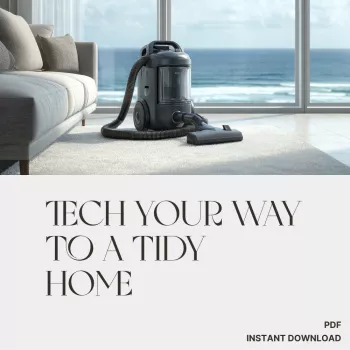
Tech Your Way to a Tidy Home | Digital Cleaning Guide for Busy People | Learn How to Use Apps to Track Cleaning Tasks, Stay Organized & Stress-Free
Write the next action, not a broad ambition. “Wipe bathroom sink” is easier to begin than “clean bathroom.” Split larger jobs into steps you can finish separately, and set reminders for times when you can actually respond to them.
If other people help, agree on what “done” means and who marks a task complete. That small decision can prevent duplicate work and missed chores.
If you would like a dedicated starting point, our Tech Your Way to a Tidy Home digital guide is about using apps to track cleaning tasks and stay organized. It is a guide for building your own system, not a cleaning service or an app subscription. You can use its approach while deciding which app and which chores belong in your routine.
A digital list earns its place when it reduces the effort of remembering. If notifications start to feel stressful, turn some off, schedule fewer tasks, or use the app only for weekly planning. You can still clean something that is not on today’s list, and you can leave a nonessential item for later.
Our team favors a routine that protects your time and energy. Completing a few essentials consistently may do more for your home than repeatedly trying to clear a long, unrealistic checklist. Start with what helps, and let the rest wait.
Watch · product page video
“This isn’t your typical cleaning guide. The blend of organization, mindfulness, and technology is empowering! I feel more in control of my home now.”
Exquisira product page · Product review
Compare related options such as The Smart Parent’s Checklist for Nutritious Living | Printable Healthy Eating Guide for Families | Digital Download for Busy Parents | How to Have Healthy Food in Home Every Day to match features, dimensions, and use case before choosing.
The best choice is one that makes it easy for you to add repeating chores, see what is due today, and move tasks when plans change. If you share housework, make sure everyone can access the list in a way that works for them.
That calls for a service marketplace, not a household cleaning tracker. Before offering services through a platform, review its current fees, eligibility requirements, and availability in your area.











Leave a comment